Free ring sizer app for iPhone and Android: measure a ring on screen, measure finger width, and convert US, UK, EU, JP and letter sizes in seconds. Saving sizes requires Pro.


 Scan to download
4.8 stars from 35 App Store ratings
Or try the on-screen ring sizer in your browser, no download needed
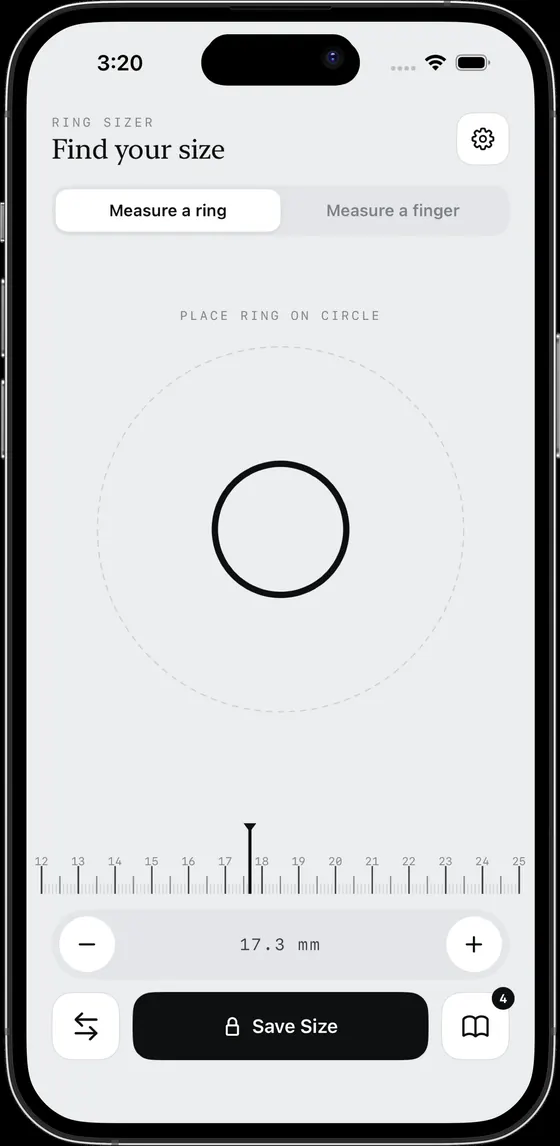
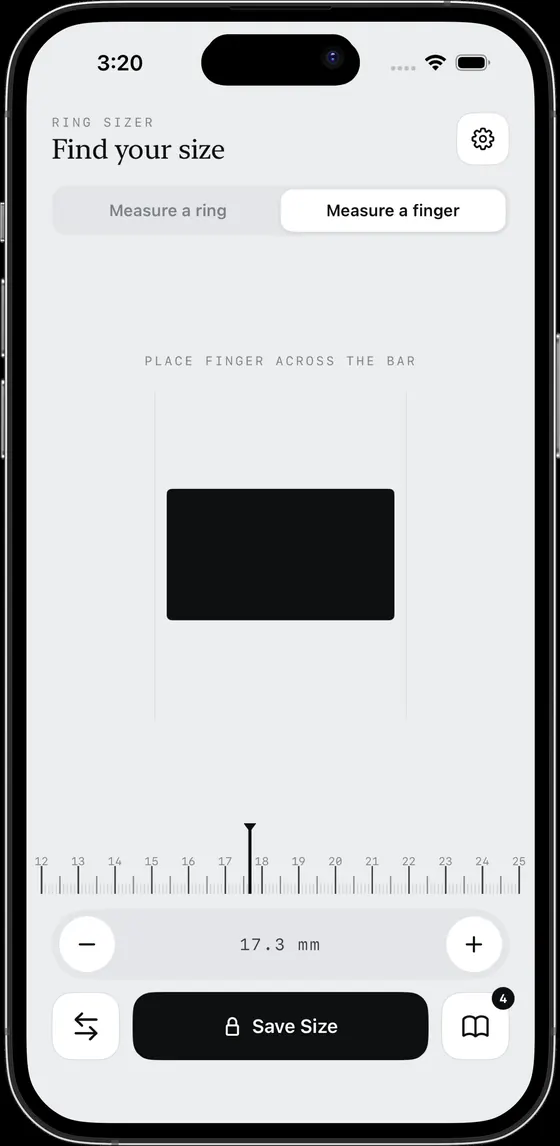
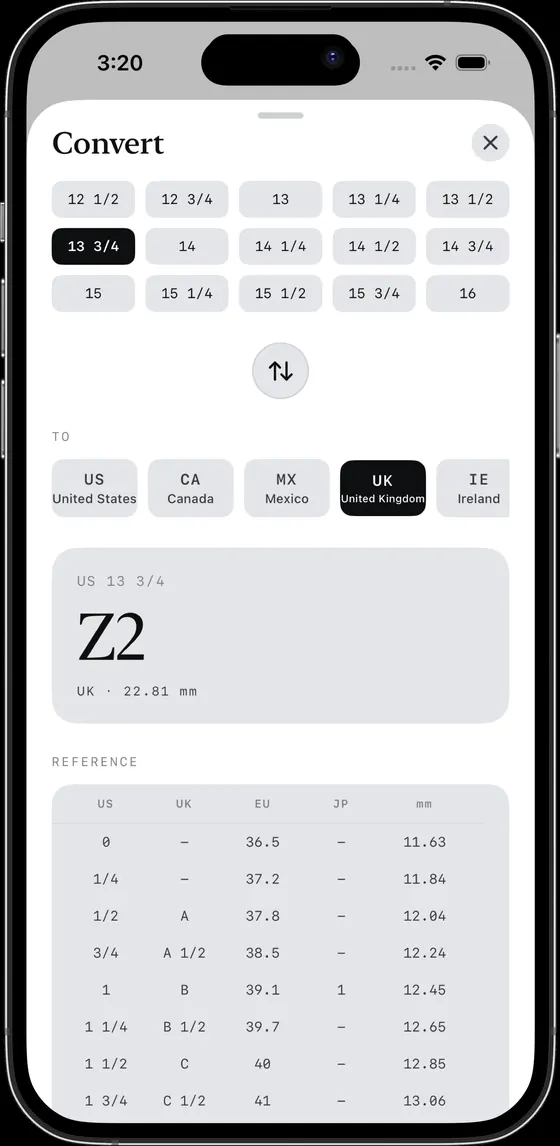
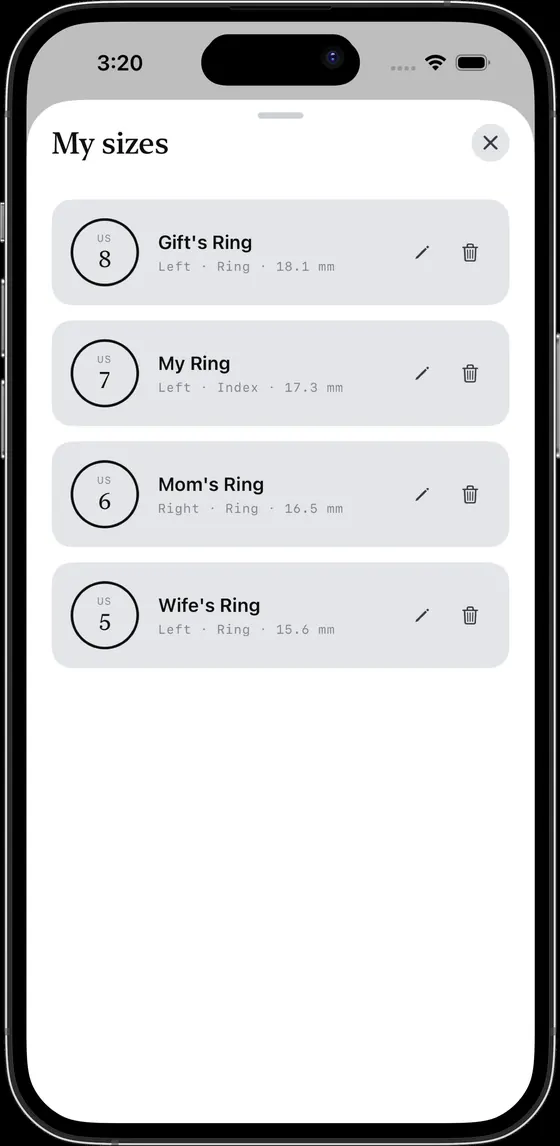
Updated iPhone interface
The updated app keeps ring measurement, finger measurement, conversion, and saved sizes cleanly connected.
Measure a ring or finger and convert standards at home, then confirm with a jeweler or seller before you buy.
Ring Measurement
Place a ring on the circle and adjust the guide until the inner edge matches.
Saved Sizes (Pro)
Keep important ring sizes ready for yourself, family, partners, and gift planning.
Global Size Standards
Convert between US, UK, EU, Japan, Australia, India, and millimeter measurements.
Finger Width Mode
No ring? Measure your finger directly across the on-screen bar and fine-tune the millimeter value.
Offline & Private
Measurement features work offline. The website uses Google Analytics; app versions may use analytics and purchase services. Check the privacy disclosures for your version.
Instant Results
Your size appears immediately in all major standards — US, UK, EU, and more.
Engagement Ready
Planning a surprise proposal? Secretly measure a ring while they're away.
Clean iPhone UI
Large controls, clear rulers, and focused sheets make each sizing task easy to follow.
Use our free online tool. No download needed.
Step 1: Calibrate Your Screen
Place a standard credit card on your screen for pixel density calibration.
Place your ring on the screen and drag the handles to match its inner edge.
Your Ring Size
-
US Size
-
UK Size
-
EU Size
-
Japan Size
-
Diameter (mm)
Tip: Calibrate your screen with a credit card first for maximum accuracy. Want saved sizes for family members and more features? Download the app.
A standard credit card is 85.6mm wide. Drag the handles to match your card's width exactly.
Check your measurement, compare sizes, and find a comfortable fit before you buy.
See common size ranges and why measuring is more reliable than guessing.
Compare typical sizes and account for the width of a wedding band.
Try simple fit checks for a ring that feels secure and comes off comfortably.
Match diameter or circumference to US, UK, and EU ring sizes.
Learn how to print at the correct scale and check a paper sizer before use.
Understand seasonal swelling and choose a consistent time to measure.
Need help measuring on a screen? Follow the virtual ring sizer guide for the online tool, or the iPhone ring sizer guide for the app.
Start with your phone, then confirm before you buy.
Choose a Mode
Measure an existing ring on the circle, or switch to finger width mode when no ring is available.
Align the Guide
Use the ruler, slider, and plus/minus controls to match the ring or finger width closely.
Save or Convert
See the measurement instantly, convert it between international standards, or save it with Pro.
US, UK, EU, Japan, India and more: compare sizes across regions before you buy.
US
& Canada
UK
& Australia
EU
Europe
JP
Japan
IN
India
mm
Diameter
Measurement features work offline. The website uses Google Analytics; app versions may use analytics and purchase services. Check the privacy disclosures for your version.
"Used this app to measure ring size. It's accurate and it's really helpful."
Pradep12 · App Store Review
Screen measurements are estimates and depend on calibration, device settings, and how you position the ring or finger. Confirm the size with a jeweler or the seller before buying.
The app needs no external tools or printouts: use your phone screen to measure a ring, measure finger width, or convert a known size. The web tool on this page uses a credit card to calibrate your screen.
Ring Sizer converts between 18 ring size standards, including US/Canada, UK, Europe, Japan, India and Australia. Results are estimates, so confirm with a jeweler or seller.
Measurement features work offline. The website uses Google Analytics; app versions may use analytics and purchase services. Check the privacy disclosures for your version.
Yes. Ring Sizer is free to download on the App Store and Google Play, and measuring and converting sizes on your phone screen are free. Place a ring on the circle or measure finger width, then get your size in US, UK, EU, JP, and other standards. The app needs no tools or paper; saving sizes requires Pro.
Yes. With the Ring Sizer app for iPhone and Android, you place an existing ring on your phone screen and adjust the on-screen circle to its inner edge, or measure your finger across the on-screen bar. Results are estimates that depend on correct screen calibration, so confirm before buying an expensive ring.
A screen shows true size only after calibration. The free on-screen ring sizer on this page asks you to match a standard credit card (85.6 mm wide) first, then the circle shows the inner diameter in millimeters with US, UK, EU and Japan sizes. Treat the result as an estimate.
UK ring sizes use letters (A–Z) while US sizes use numbers (1–13+). For example, UK J½ = US 5, UK L½ = US 6, UK N½ = US 7, and UK P½ = US 8. For exact conversions, use our UK to US ring size converter or check the full ring size chart.
Commonly cited average ring sizes in the US are 6 to 7 for women (UK L½–N½) and 9 to 11 for men (UK R½–V½). However, ring sizes vary significantly by individual — measure your own ring or finger with a ring sizer app rather than rely on averages, then confirm with the seller.
Guides, tools, and charts to help you find the perfect fit.
Ring Size Chart
Complete conversion chart for US, UK, EU, Japan, and Australian ring sizes with diameter in mm.
How to Measure Ring Size at Home
5 free methods to find your ring size without visiting a jeweler — app, string, paper strip, and more.
Ring Size Calculator
Enter your ring diameter or circumference to instantly find your size in every international standard.
UK Ring Sizes (A–Z)
British letter-based sizing guide with full chart, Hatton Garden tips, and UK to US conversion.
Men's Ring Size Guide
Average men's ring sizes, measurement tips, and a complete chart for wedding bands and signet rings.
Secret Engagement Ring Sizing
How to find your partner's ring size without them knowing — clever tips for surprise proposals.
Explore more ring sizing resources
Use these calculators, charts, and country guides to confirm your size before buying a ring online.
Enter diameter or circumference and get the nearest matching ring size.
Related guideCompare US, UK, EU, JP, diameter, and circumference measurements.
Related guideCalculators, converters, printable charts, and measurement helpers in one hub.
Related guideStep-by-step ways to measure a ring or finger without visiting a jeweler.
Related guideConvert US numeric sizes into UK letter sizes quickly.
Related guideWhen a mobile app is faster than printable charts or manual measurements.
Free to download on iPhone and Android. Saving sizes requires Pro.
Scan to download
Measure with Ring Sizer
Free iPhone sizing helper
